
Error Correction Record:PDF To Word
Here I will document one of the mistakes I made and the outcome after correcting it.
When I was developing this small tool for converting PDF to Word, I didn’t notice a very obvious error in my program: Although the PDF document was successfully converted to a Word document, the original page layout was lost, like this:
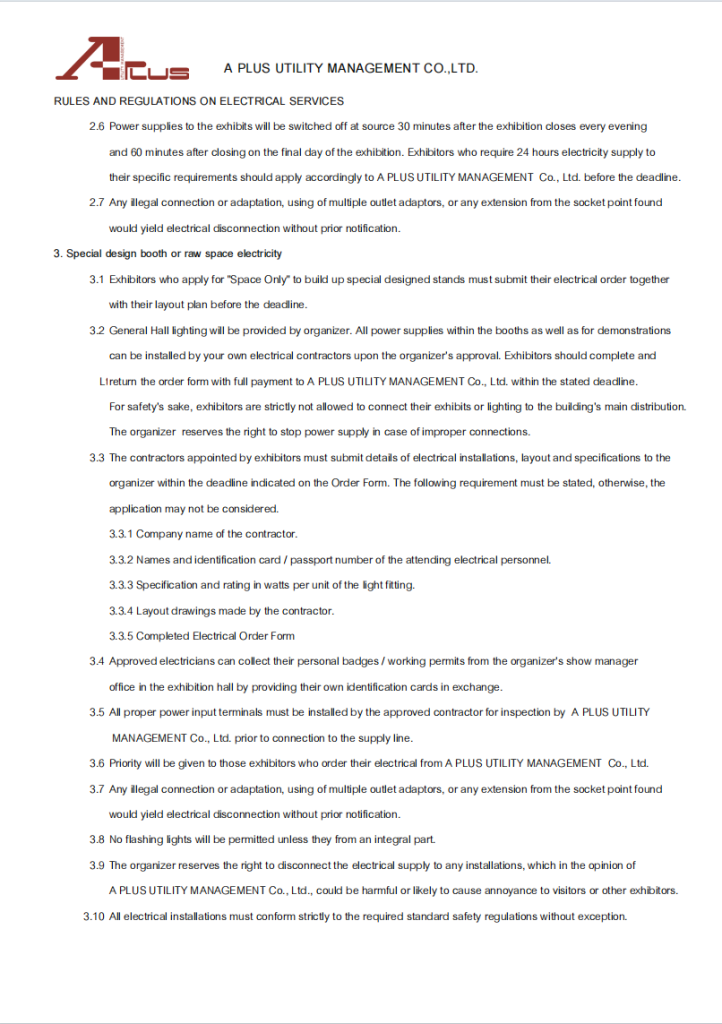
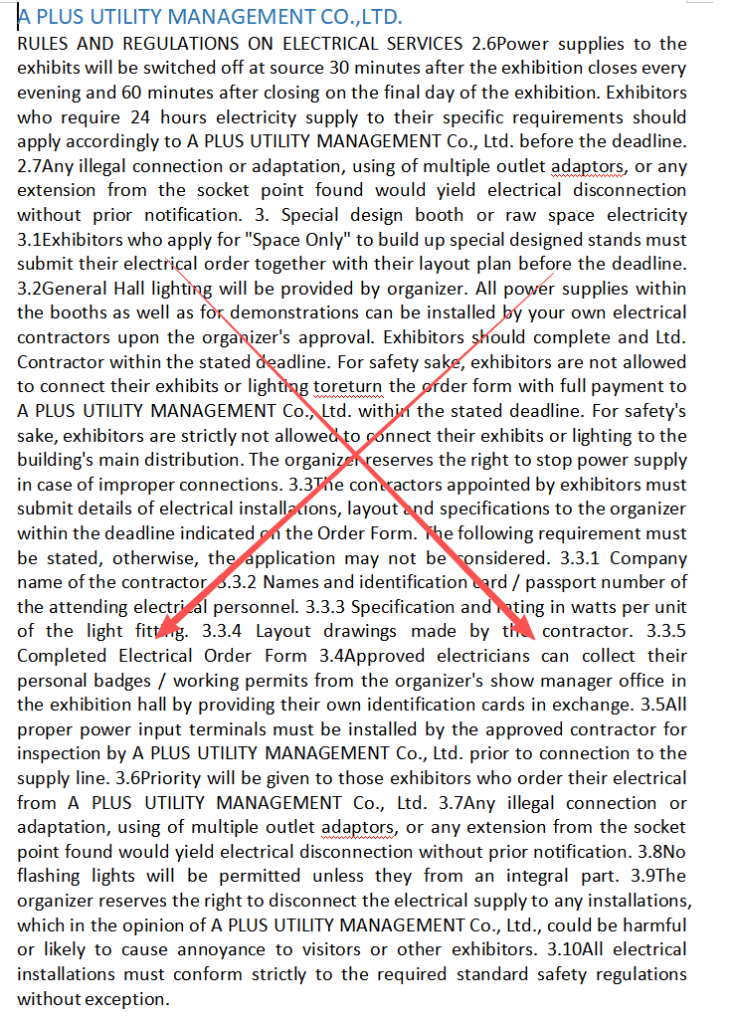
The problem lies in that the conversion engine only reconstructed “paragraphs and headings”, but failed to retain the layout elements such as alignment, line spacing, indentation, lists, and page settings. As a result, the output was simply a bunch of text.
I rewrote the engine and added a complete layout reconstruction: line-by-line alignment methods (centered/right-aligned/justified), actual line spacing, first-line indentation, bullet hanging indentation, two-column reading order detection, serif/sans/mono font family mapping, and generation of Word page settings based on the original page size and margins of the PDF. This is the modified situation:
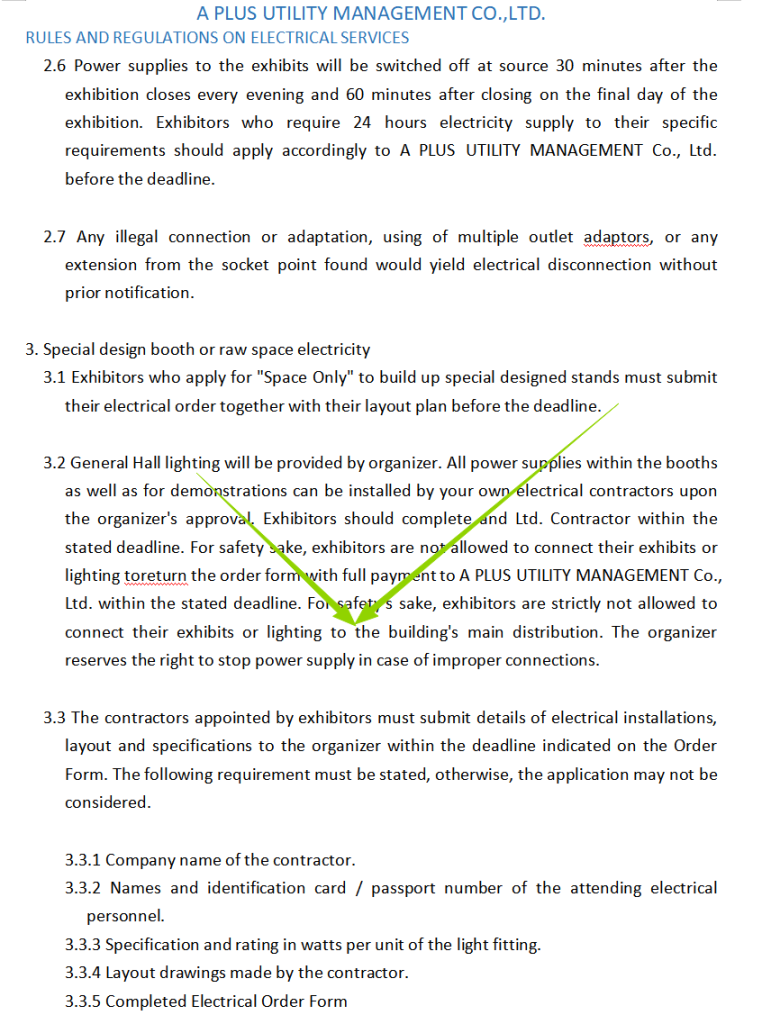
However, I must admit that images, table borders, and colors are still not retained. This is a reasonable boundary for a pure front-end upload-free solution. If more complex processing is needed, you can use other small tools on my website.
Although this issue is small, I think it will cause a lot of trouble for subsequent use. Every time a user finishes the conversion work, they have to spend some time reformatting. If I could solve this problem once, I could avoid subsequent troubles. It’s like what people often say: “Don’t leave the problem for tomorrow!”
1 thought on “Error Correction Record:PDF To Word”
Great!